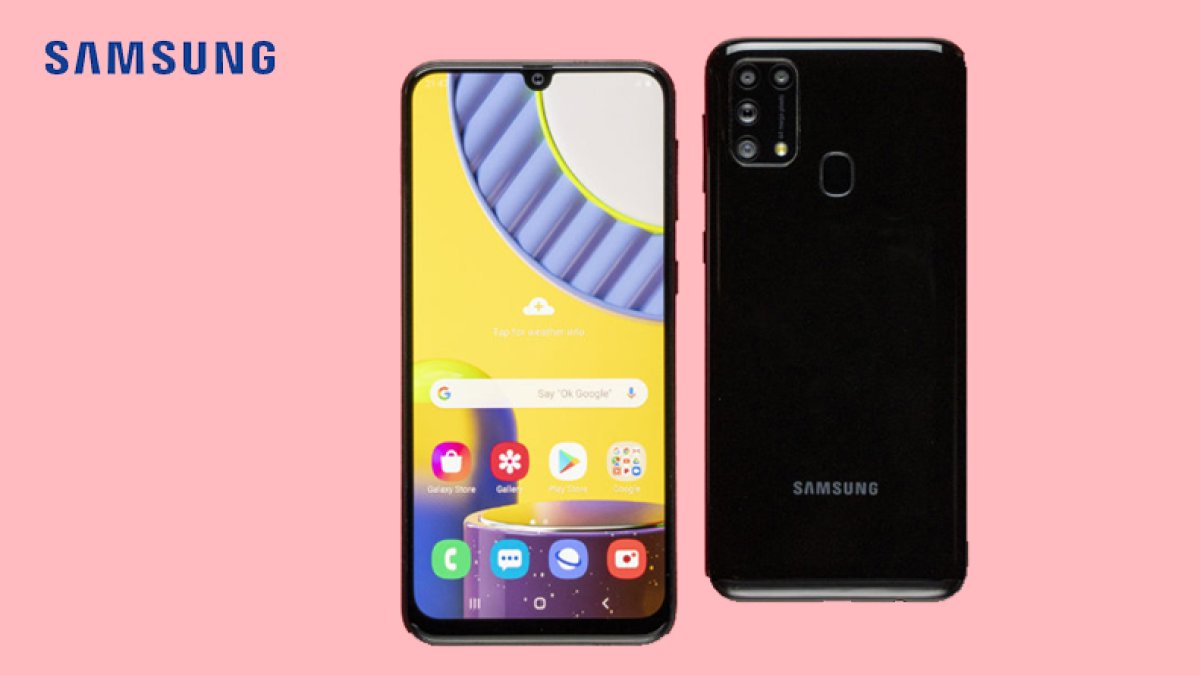
The Samsung Galaxy M31s has received the One UI 3.1 update based on Android 11, bringing a refreshed look and several handy features to the popular mid-range phone. The update carries the version number M317FXXU2CUB1, weighs in at 1.93GB, and is rolling out in batches. It adds an improved stock app, one-time permissions, a dedicated conversations section in the notification area, and parental controls with a new UI.
What's New in the Samsung Galaxy M31s One UI 3.1 Update
Beyond the visual refresh, Samsung is bundling the February 2021 security patch with this release, so users get newer protections alongside the new features. Once the update reaches a device, the owner receives a notification automatically. You can also check for it manually by opening the Software Updates section in the phone's Settings. Because it is a staged rollout, the update may take some time to appear on every unit.
The headline additions include one-time permissions for apps, which let you grant access to sensitive data just for a single session. The notification area now groups messaging activity into a conversations section, and parental controls have been redesigned with a cleaner interface. The stock apps have also been improved as part of the One UI 3.1 experience.
Galaxy M31s Features and Specifications
The phone packs a 6.5-inch full HD+ display with a 1080x2400 pixel resolution and a 20:9 aspect ratio. The design uses thin bezels and a punch-hole cutout, and a side-mounted fingerprint sensor handles security. It offers up to 8GB of RAM and up to 128GB of internal storage, powered by the Exynos 9611 chipset.
On the back sits a quad-camera setup led by a 64-megapixel primary sensor, paired with a 12-megapixel ultra-wide angle lens, a 5-megapixel macro shooter, and a 5-megapixel depth sensor. For selfies, there is a 32-megapixel front camera. A large 6000mAh battery keeps the lights on and supports 25W fast charging. Connectivity options include dual-band Wi-Fi, Bluetooth 5.0, GPS, a 3.5mm headphone jack, and a USB Type-C port.
| Specification | Details |
|---|---|
| Display | 6.5-inch full HD+, 1080x2400 pixels, 20:9 aspect ratio |
| Processor | Exynos 9611 |
| RAM | Up to 8GB |
| Storage | Up to 128GB internal |
| Rear Camera | 64MP primary + 12MP ultra-wide + 5MP macro + 5MP depth |
| Front Camera | 32MP |
| Battery | 6000mAh with 25W fast charging |
| Software | One UI 3.1 (Android 11) |
| Update Version | M317FXXU2CUB1 (1.93GB) |
| Security Patch | February 2021 |
How to Install the Update
To grab the update, head to Settings, open Software Updates, and check for the new version. If it is available for your device, you can download and install it directly. Make sure the phone has enough free space for the 1.93GB download and is connected to a stable Wi-Fi network.
For more from this maker, browse the latest Samsung coverage and stay updated on new releases and software rollouts.