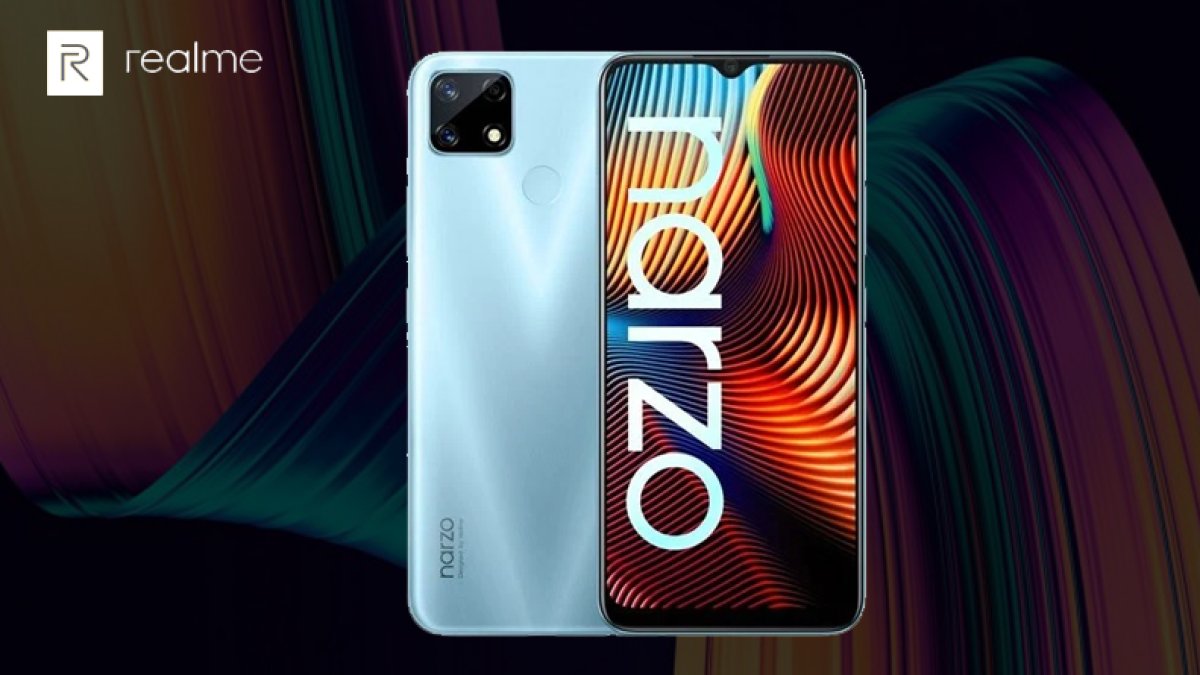
The Realme Narzo 20 has received a major software update that brings a personalized user interface, three dark mode styles, a drawer mode filter and several other new features to the budget smartphone. The update is rolling out to devices already running Realme UI 1.0, with the firmware version number RMX2193_11.C.06.
What's New in the Realme Narzo 20 Update
The latest update for the Realme Narzo 20 adds a personalized user interface, three dark mode styles and a drawer mode filter, among other improvements. The company has initially released the update for a limited set of users, and it will roll out to all users in the coming days. Owners will receive a notification when the update reaches their device, or they can check manually through the software update section in the phone's settings.
Realme Narzo 20 Features and Specifications
The phone has a 6.5-inch HD+ LCD with 720x1600 pixel resolution, an aspect ratio of 20:9 and a Waterdrop Notch design. It packs 4GB of RAM and 128GB of internal storage, powered by a MediaTek Helio G85 chipset.
For photography, the Realme Narzo 20 has a triple rear camera setup with LED flash, including a 48-megapixel primary lens, an 8-megapixel ultra-wide angle lens and a 2-megapixel macro shooter. On the front there is an 8-megapixel selfie camera. The phone is backed by a large 6000mAh battery with 18W fast charging support.
| Specification | Details |
|---|---|
| Display | 6.5-inch HD+ LCD, 720x1600 pixels, 20:9 aspect ratio, Waterdrop Notch |
| Processor | MediaTek Helio G85 |
| RAM | 4GB |
| Storage | 128GB internal |
| Rear Camera | 48MP primary + 8MP ultra-wide + 2MP macro, LED flash |
| Front Camera | 8MP |
| Battery | 6000mAh with 18W fast charging |
| Software | Realme UI 1.0 (RMX2193_11.C.06 update) |
Connectivity and Colors
For connectivity, the phone offers dual-band Wi-Fi, Bluetooth 5.0, GPS and a 3.5mm headphone jack. The Realme Narzo 20 is available in two color options: Glory Silver and Victory Blue.
How to Get the Update
Because the rollout is staged, not every device will receive the update at once. If you own the phone, watch for the update notification or open the software update section in settings to check for the RMX2193_11.C.06 firmware manually.